The apartment sauna
Sauna quick start
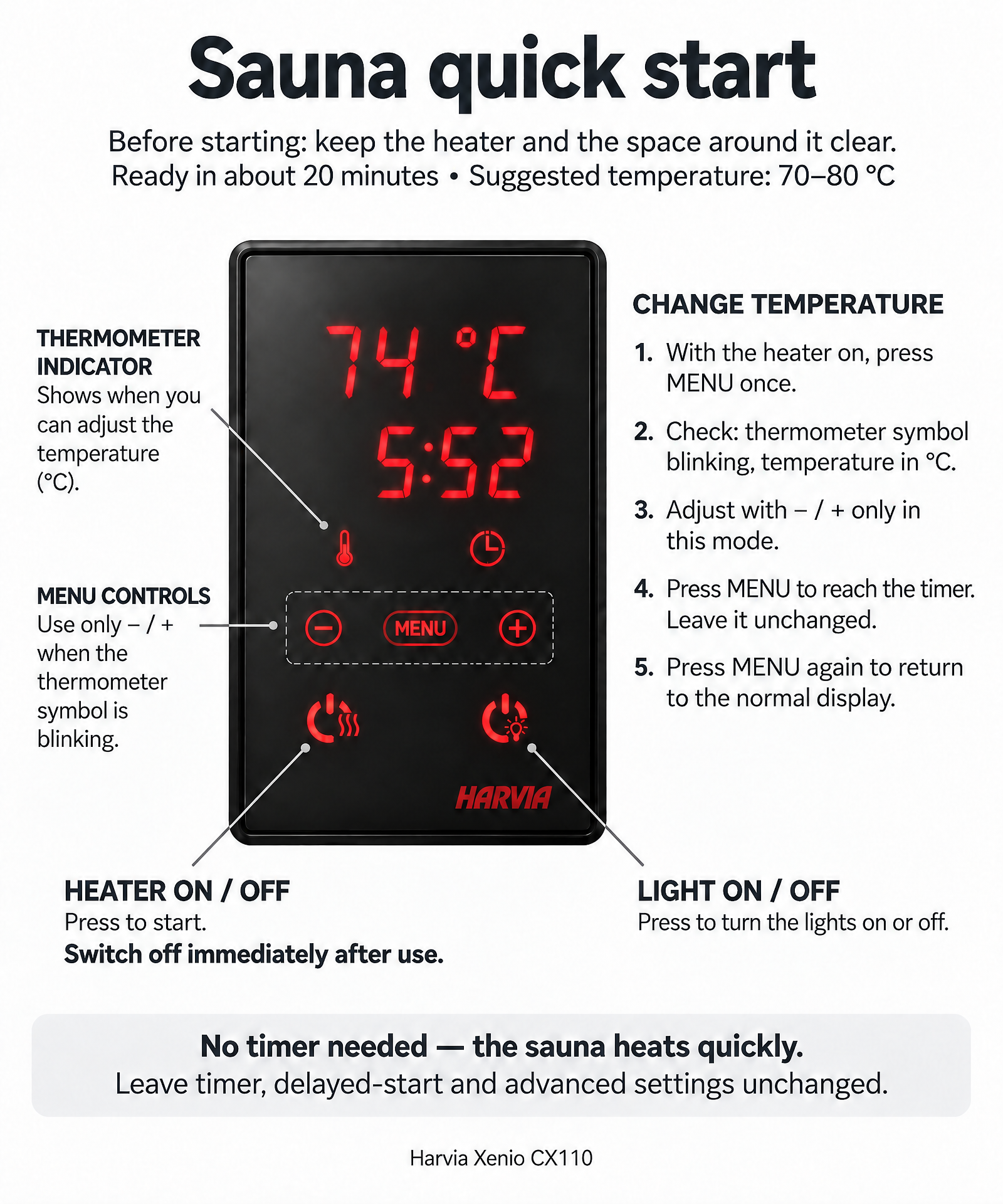
The apartment has its own sauna with a Harvia Xenio CX110 control panel. It is easy to use — you only need three things: switch the heater on, adjust the temperature if you like, and switch it off when you are done.
Before you start
- Keep the heater and the space around it clear. Never place anything on or in front of the heater.
- Always check that there are no towels, clothing or other items near the heater — the drying cabinet is a safer and better place to dry clothes.
Heating up
- The sauna is ready in about 20 minutes.
- Suggested temperature: 70–80 °C.
- No timer needed — the sauna heats quickly, so there is no need to pre-heat with the timer function.
Switch on / off
- Press the heater button (bottom left) to start.
- Press again to switch off — switch off immediately after use.
Change the temperature (optional)
- Press MENU once. The thermometer symbol starts blinking and the temperature is shown in °C.
- Adjust with − / + — only in that mode.
- Press MENU again to reach the timer. Leave it unchanged.
- Press MENU once more to return to the normal display.
Lights
- Press the light button (bottom right) to turn the lights on or off.
Leave everything else unchanged
- Timer, delayed start and service settings don't need to be changed — leave them untouched.
- Never hold several buttons down at the same time.
Two things to remember
- Always switch the sauna off immediately after use.
- Never dry towels or clothing on or near the heater — the drying cabinet is a safer and better place.